
The whole school, in one platform
IdleLearn runs the entire school day as software. Learners know what to do next, parents can see how it’s going, teachers create and mark in one flow, and the office proves what happened — all from a single, connected system.
Most learning platforms stop at content delivery. IdleLearn connects the classroom to the family, the learning centre, the office and the evidence trail.
We built IdleLearn as the platform behind Diipone Academy, a CAPS-aligned online school for South African families. Rather than bolting a quiz tool onto a content library, we designed it from the ground up as one system with five coordinated portals — learner, parent, teacher, facilitator and administrator — plus a public admissions and document-verification edge.
Everything shares one learner story. A teacher publishes a lesson, a learner works through it and practises, the insight engine spots where they struggle, the parent gets a plain-language signal, the facilitator sees who needs a person, and the administrator gets a term report they can verify with a QR code. Every role opens to a prioritised next action instead of a wall of data.
IdleLearn is designed for real South African conditions: mobile-first, resilient to connectivity loss during a test, mindful of data costs, and with POPIA consent, safeguarding and audit trails built in from day one — not added later.
Every learner knows what to do next
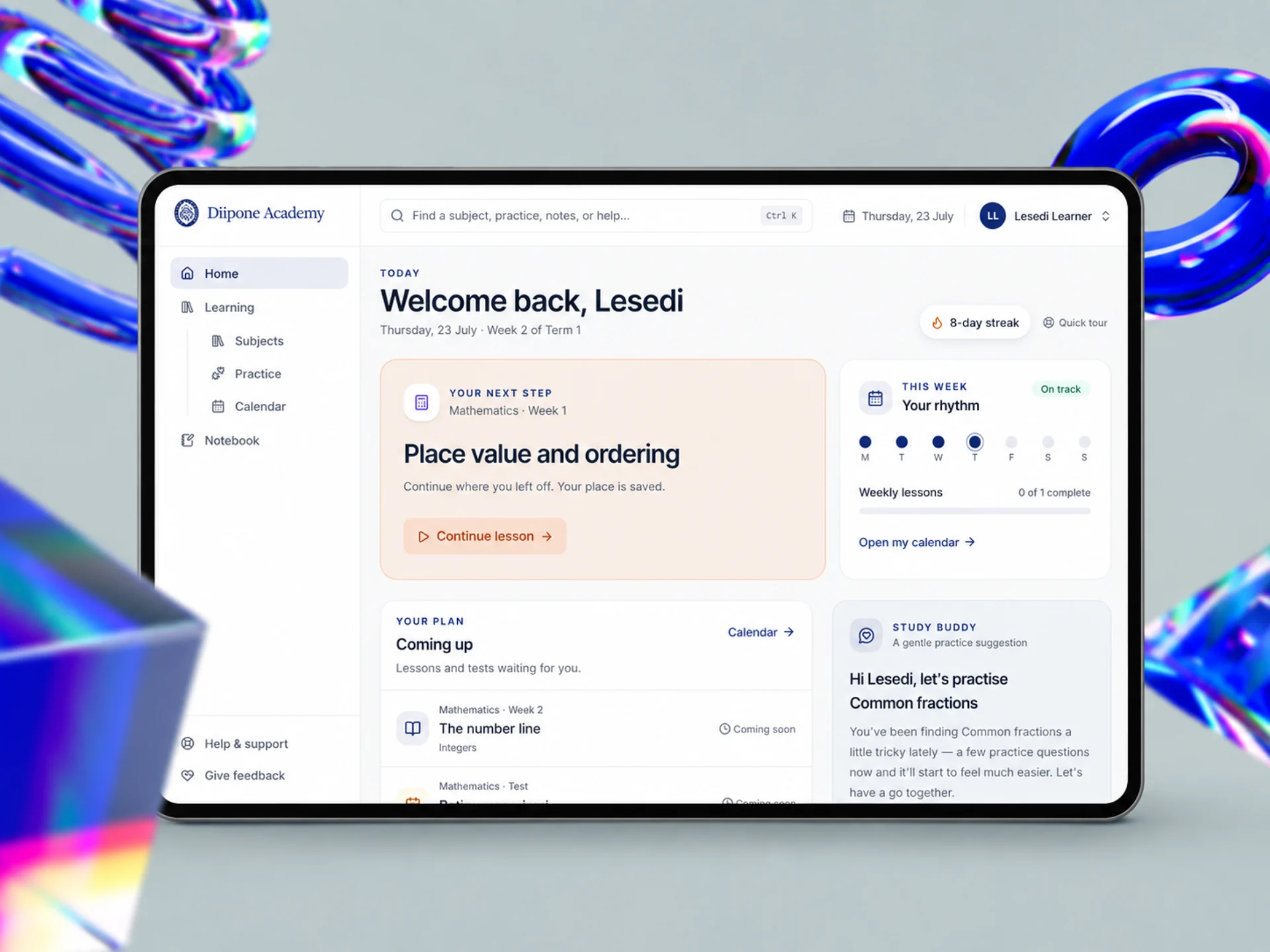
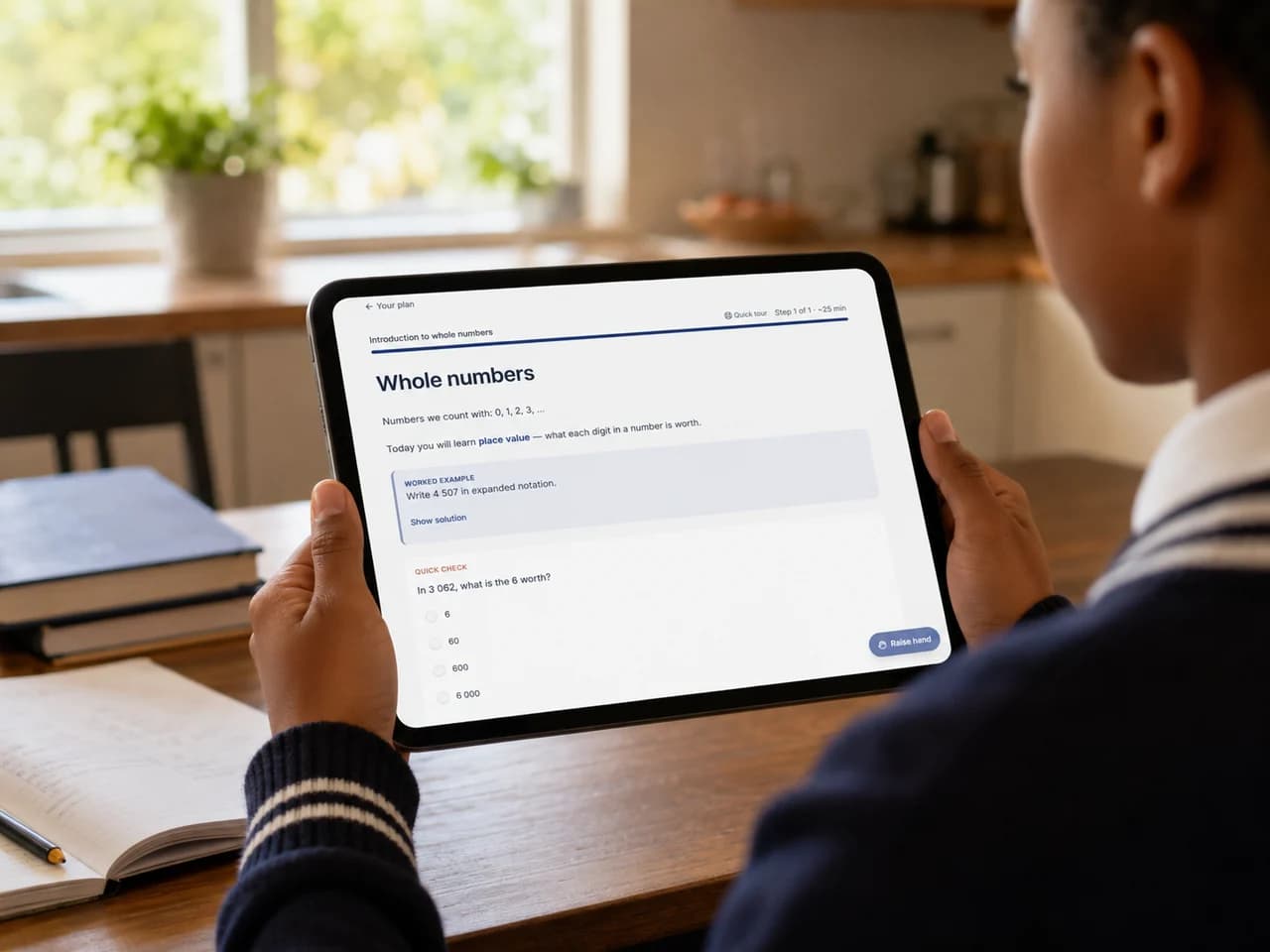
The learner home opens on today’s plan: the next lesson, the week’s rhythm, upcoming assessments and a personalised practice suggestion. Lessons are built as steps — text, worked examples, quick checks, video and files — and progress is saved so a learner can pick up exactly where they left off, even after a dropped connection.
The learner home opens on today’s plan: next lesson, weekly rhythm, upcoming tests and a personalised practice suggestion. Progress is saved step by step.
Step-by-step lessons
Rich text, worked examples, quick checks, interactive questions, tables, video and downloadable files — with time, completion and resume position captured per block.
Practice without penalty
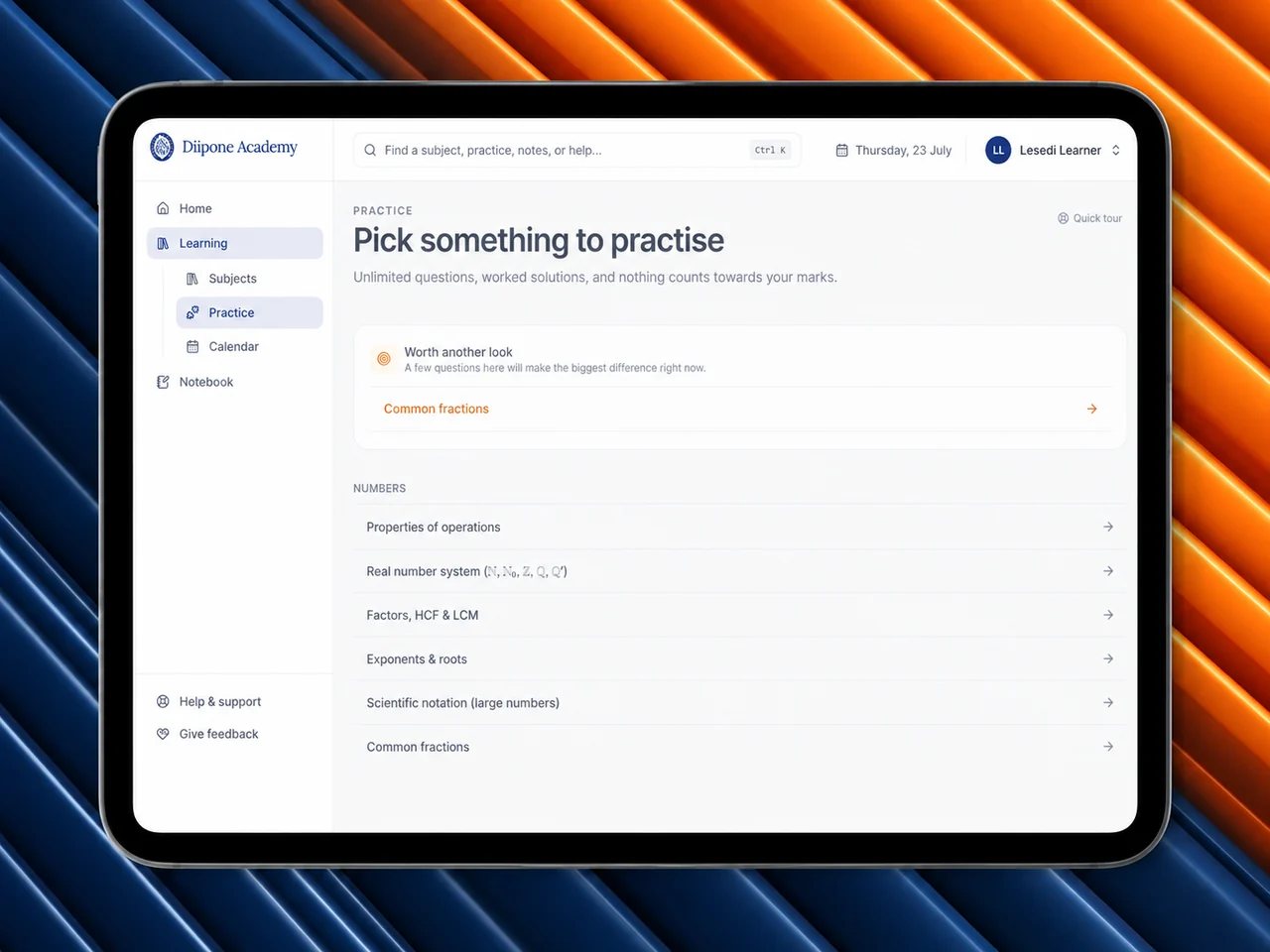
Unlimited topic practice with worked solutions and a “worth another look” list driven by each learner’s own results. Practice never affects formal marks.
Notebook & highlights
Private subject notebooks with autosave, photos and slash commands, plus lesson highlights tagged Key idea, Got it, For the test or Tricky.
Parents see how it’s really going
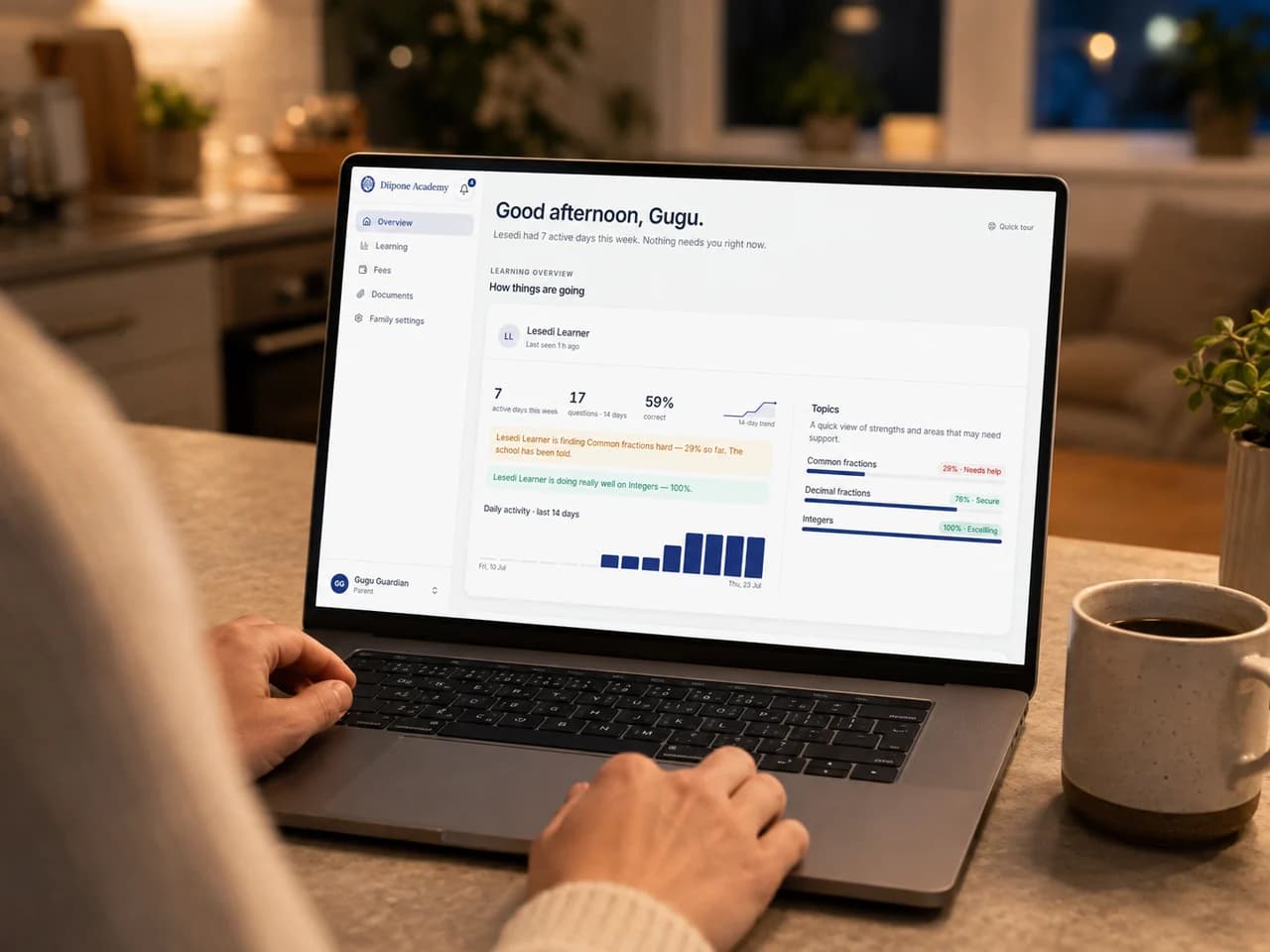
The parent overview answers the only question that matters: how is my child doing, and do they need me? Active days, question volume, accuracy and topic mastery are summarised in plain language, with balanced signals for both concern and excelling. Term reports, fees, documents and consent all live in the same portal — not behind the school office.
Active days, accuracy and topic mastery in plain language, with balanced concern and excelling signals. Reports, fees, documents and consent all in one portal.
Progress at a glance
A 14-day trend, daily activity and topic tiers (needs help, getting there, secure, excelling) with early struggle alerts by email or WhatsApp.
Reports & documents
Downloadable term reports, receipts and registration packs, each branded and verifiable by QR code. Private document upload slots for admissions.
Fees & consent
Balance, plan, EFT reference and payment history, plus unbundled POPIA consent choices — AI, media and marketing permissions are genuinely optional.
Create, assess and mark in one flow
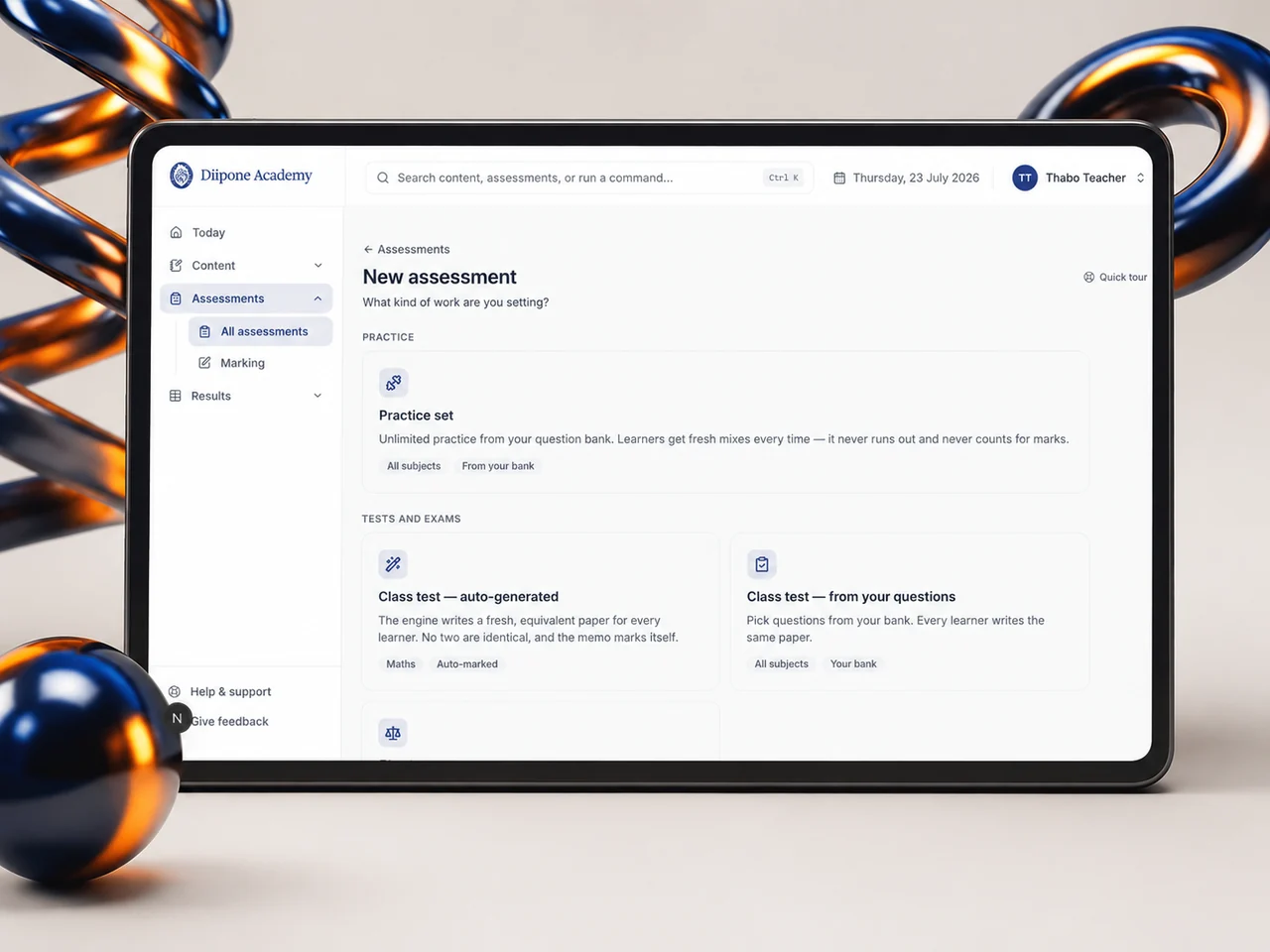
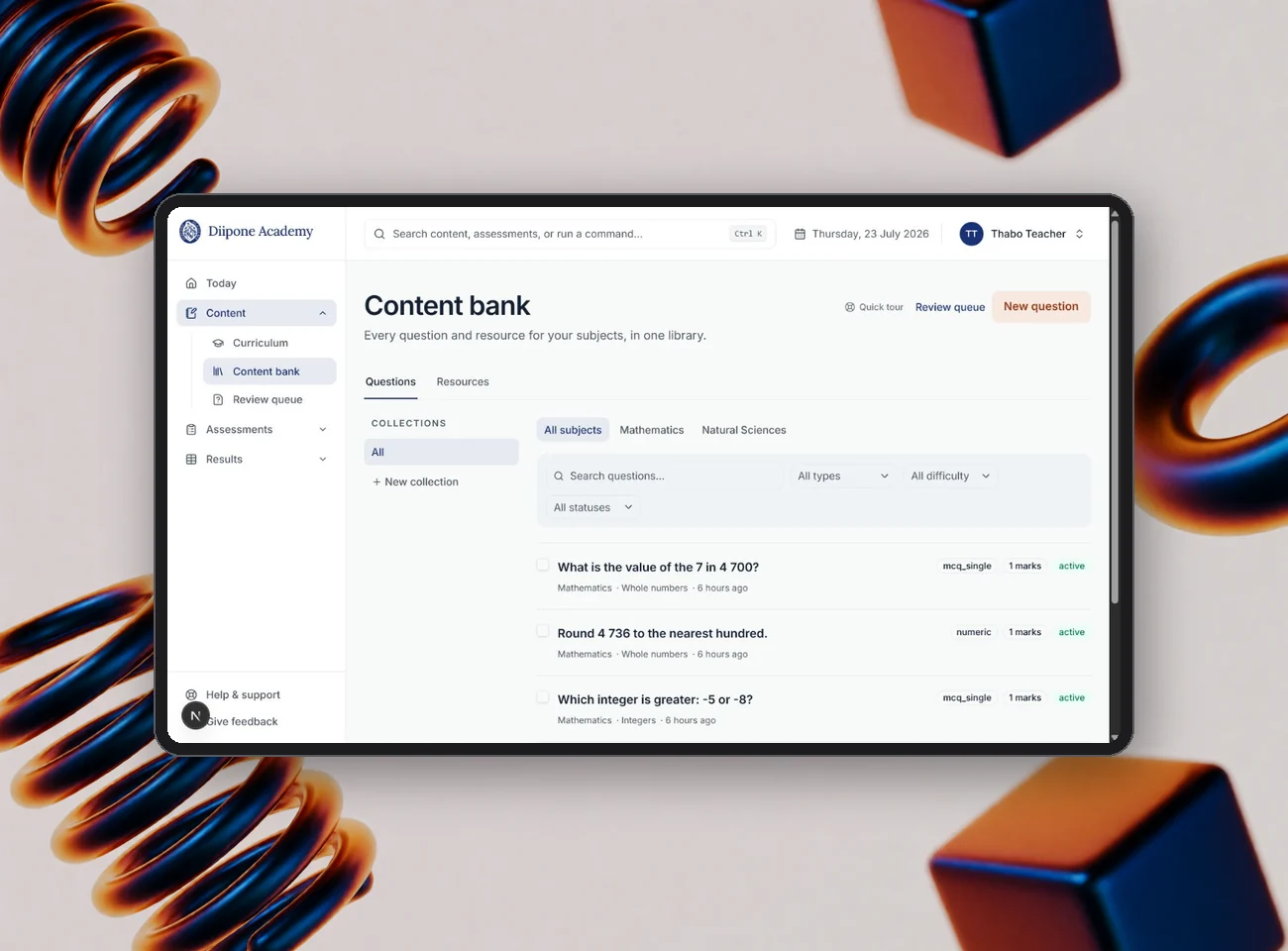
Teachers start on a curriculum workspace that shows term-by-term coverage against the annual teaching plan. From there they build lessons in a document-style block editor with AI assistance, author questions into a governed content bank, and compose assessments four different ways — from quick practice sets to formally weighted papers. Auto-marking handles what it can; per-criterion rubric marking handles the rest.
A curriculum workspace, a block-based lesson editor with AI assistance, a governed question bank and four ways to build an assessment. Auto-marking where appropriate, rubric marking where judgement matters.
Lesson builder with AI assist
Blank canvas or an accreditor-ready lesson-plan scaffold, AI-generated drafts with preview-before-accept, image generation, and direct video upload with playback milestones.
Ten question types
Single and multi-select, numeric with tolerance, short text, matching, ordering, cloze, true/false with correction and rubric-marked structured responses.
Marking & gradebook
A marking inbox with memo, rubric and per-criterion marks, a term gradebook with configurable category weights, and downloadable reports.
Run the whole school from one console
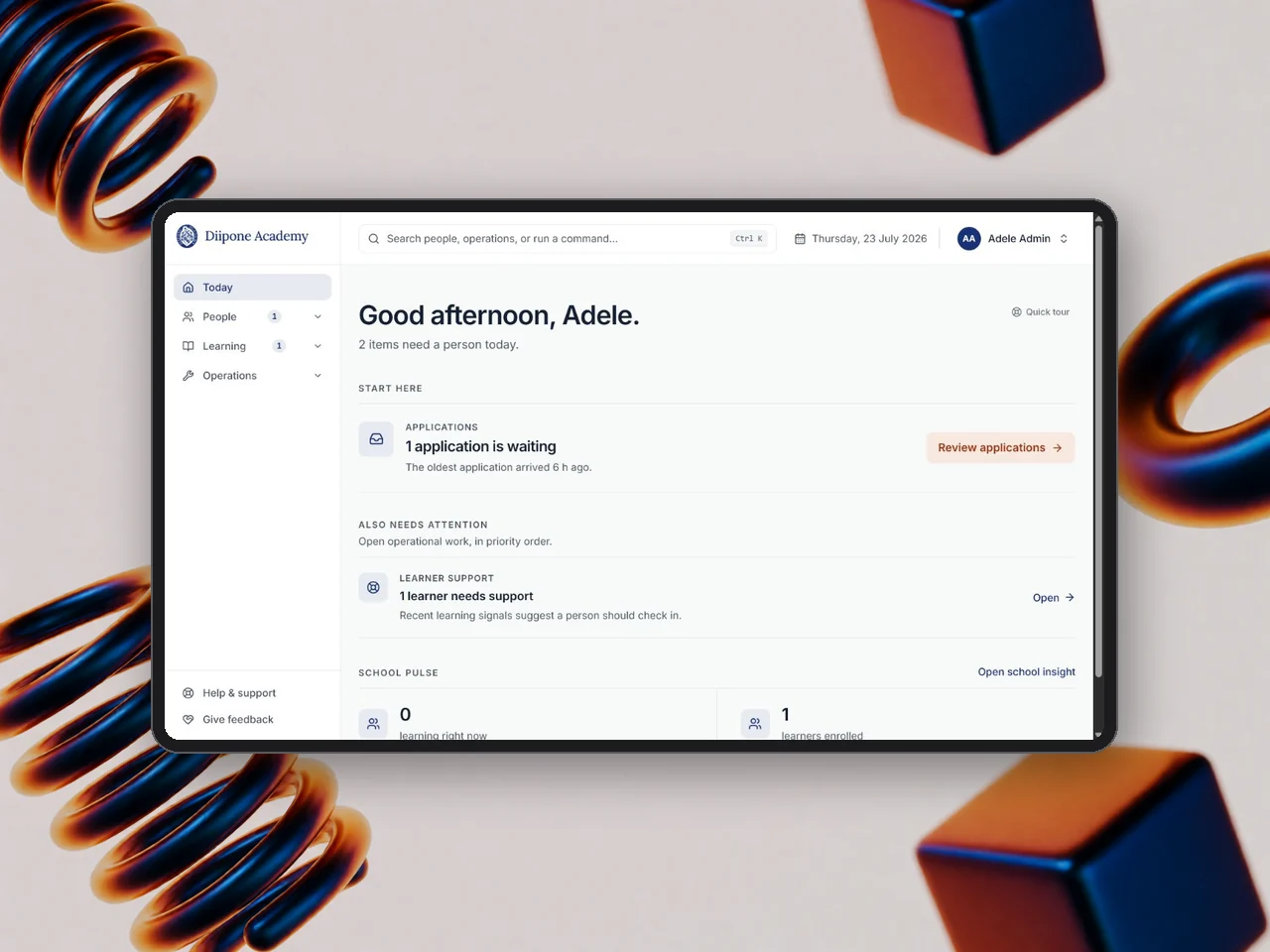
Administrators open to a priority-ranked list: the oldest waiting application first, then learner-support work, then the pulse of the school. Admissions, provisioning, staff, curriculum, fees, safeguarding and notifications are all handled in the same place. Learning-centre facilitators get a presence-first roster, an audited attendance register and a projector-ready present mode where raised hands are pinned first.
A priority-ranked admin console for admissions, staff, curriculum, fees, safeguarding and notifications. Facilitators get attendance, a live roster and a projector-ready present mode.
Admissions pipeline
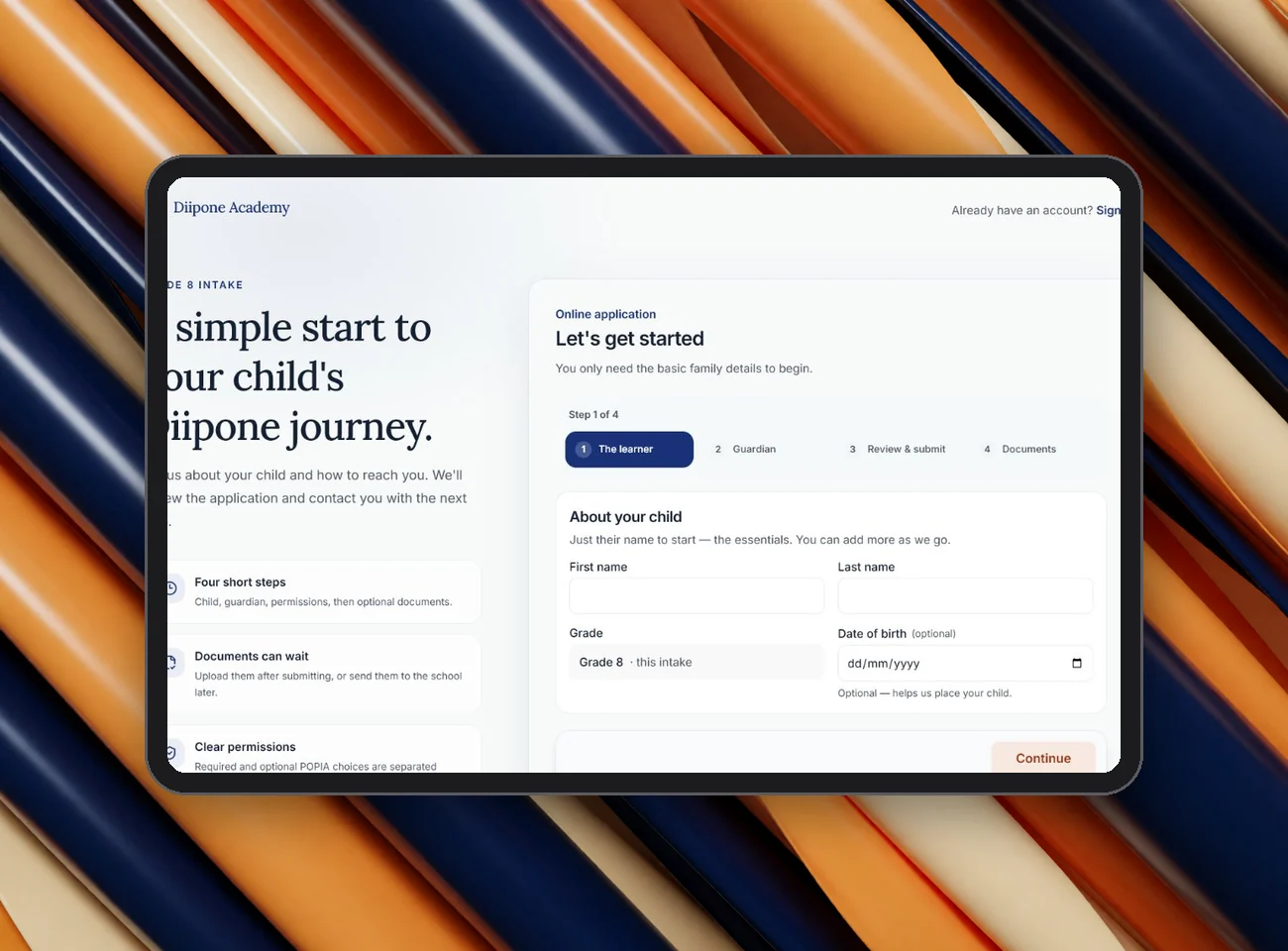
A four-step public application with POPIA-clear consent, a review queue, one-click provisioning of guardian and learner accounts, and registration pack export.
Facilitator present mode
Large learner tiles refreshing live, raised hands pinned first with a soft chime, need-help halos, fullscreen and wake lock for the classroom screen.
Fees & plan tiers
Configurable Core, Plus and Complete entitlements, a monthly ledger, manual EFT recording, receipts, online payments and account-status overrides with a note.
AI that helps, with adults in the loop
The study buddy is a Socratic, age-appropriate tutor that guides rather than answers. It introduces itself as an AI, tells the learner that parents and teachers can read the conversation, stays inside the curriculum, and pauses during exams. A conservative safeguarding classifier flags concerning phrases to a designated adult — the system signals, a person decides. Integrity monitoring during tests is advisory, never an automatic failure.
A Socratic AI tutor that guides rather than answers, is transparent to parents and teachers, stays in the curriculum and pauses during exams. Safeguarding and integrity signals go to people, never to automatic decisions.
Guided, transparent tutoring
Curriculum-bound explanations that encourage rather than solve, with read-only transcripts for parents and teachers and a daily quota per plan.
Safeguarding workflow
Deterministic classifier, preserved conversation context and an open, acknowledged, resolved workflow for designated adults. No automated adverse decisions.
Resilient assessments
Per-answer autosave, a local browser mirror that restores unsaved answers after a dropped connection, and a server-authoritative timer with low-time warnings.
One connected school day
Five coordinated portals, ten assessment question types, four ways to build an assessment, and a safeguarding, consent and audit layer designed for South African schools from day one.
Five portals, ten question types, four assessment builders, and safeguarding, consent and audit built in.
From discovery to first login
Discovery
We map your grades, subjects, roles and reporting needs, and agree on branding, plan tiers and which integrations you want switched on.
Set up & import
We provision your hosted instance under your name and domain, import your annual teaching plans, and configure terms, fees and consent wording.
Onboard
Staff are invited and trained, content is published, and admissions open. Guardians and learners are provisioned from approved applications.
Launch & support
We host, monitor and maintain the platform, ship releases, and stay on hand through the first term and beyond.
IdleLearn FAQ
Yes. Curriculum, lessons, assessments and term reports are structured around the CAPS curriculum and annual teaching plans. Alignment is built into the platform; it does not imply government endorsement, and each school remains responsible for its own registration and accreditation.
No. The study buddy is AI-assisted and human-supervised. It guides learners through the curriculum, is transparent to parents and teachers, and every safeguarding or integrity signal is reviewed by a person. It never marks formal work on its own or makes decisions about a learner.
Answers are autosaved per question and mirrored locally in the browser, so when the connection returns the attempt resumes with nothing lost. The countdown is server-authoritative, so timing stays fair.
Yes. Each deployment carries your school’s name, logo, colours, contact details and document templates. Term reports, receipts and registration packs are issued under your name.
Role-based access is enforced in the database itself, consent is captured per purpose and replayed at provisioning, sensitive actions are written to an append-only audit log, and files are served through signed URLs with ownership checks.
A typical deployment takes a few weeks from discovery to first login, depending on how much curriculum content you already have. Talk to us and we will give you a realistic timeline for your school.